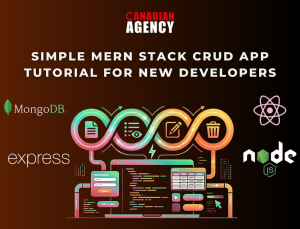


Many developers learn React, Node, and MongoDB through short courses and video lessons. Yet when it is time to apply for a job, they still feel stuck. Their GitHub is full of half-finished code, and their portfolio has nothing that looks like a real product. This is where well-planned MERN Stack Projects can change your path.
A MERN app uses MongoDB for the database, Express and Node.js for the back end, and React for the front end. When you build full apps with this stack, you show that you can handle data, APIs, and user interfaces from end to end. This is exactly what many modern web teams need.
In this blog, you will find 10 project ideas that go beyond “to-do lists.” Each idea includes key features and simple ways you can extend it. These projects are not just for learning; they are for your portfolio, job interviews, and freelance work.
Why These Projects Matter
Most job ads ask for “production experience,” but almost no one will give you that first job without proof of skills. That sounds unfair, but you can remove much of this problem by building strong sample apps.
When you build and polish MERN Stack Projects, you:
- Prove that you can work across the full stack
- Show that you understand user needs, not just code
- Give hiring managers something clear to test and discuss in interviews
Now, let’s walk through 10 project ideas that can set you apart.
10 Powerful MERN Projects to Build
1. Job Board Web Application
Build a simple job board where companies can post jobs and candidates can apply.
Core features:
- User roles: company and candidate
- Job posts with title, description, skills, and salary range
- Search and filters by role, location, and type (full-time, part-time)
Why it helps:
Recruiters understand job boards very well. This project shows that you can handle user roles, forms, and data filters in a clear way.
2. Task Management Dashboard
Create a “lightweight Trello” for personal or small team tasks.
Core features:
- Boards, lists, and cards
- Drag-and-drop to change card order and status
- Due dates, tags, and simple comments
Why it helps:
You will work with React state, API calls, and real-time UI feedback. This mirrors tools used in many companies, so it feels familiar to reviewers.
3. Real-Time Chat Application
Build a basic chat app for one-on-one and group talks.
Core features:
- User login and profile
- Real-time messages using web sockets
- Read receipts or “user is typing” signals
Why it helps:
Real-time features always stand out. They show that you can think about both front-end updates and back-end events at the same time.
4. E-Learning Course Platform (With Real Example)
Design a site where users can browse, buy, and watch online courses.
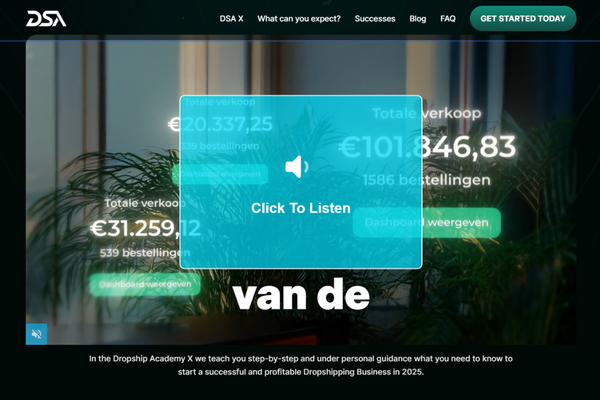
For instance, look at this dropshipping course platform example to see how a full solution can work in real life.
Core features:
- Course list with search and filters
- Course pages with video, lessons, and progress
- Simple payment flow (even a mock checkout is fine)
Why it helps:
This is close to real client work. You demonstrate that you can manage content, users, and payments in a single app.
5. Personal Finance Tracker
Help users track their income and spending.
Core features:
- Add income and expense records
- Categories (food, rent, travel, etc.)
- Charts for monthly and yearly trends
Why it helps:
You get practice with data charts, which many dashboards need. It also gives you a chance to focus on clear and simple UI.
6. Fitness and Habit Tracking App
Create a tool that helps users track workouts or daily habits.
Core features:
- Daily tasks or workout plans
- Streaks and simple stats
- Reminders (email or on-screen alerts)
Why it helps:
You can mix data storage, nice visual feedback, and user motivation. It also allows you to show mobile-friendly design.
7. Blogging Platform
Build a simple blogging site for multiple authors.
Core features:
- Create, edit, and delete posts
- Draft and published states
- Public blog pages with category and tag filters
Why it helps:
You work with text editing, URL routing, and content lists. This kind of system is easy for non-technical people to test, which is helpful in interviews.
8. Small Social Network
Create a private “social feed” for a club, school, or hobby group.
Core features:
- User profiles and follow/unfollow
- Feed with posts, likes, and comments
- Simple notifications
Why it helps:
It shows that you understand relationships between users, which is useful for many SaaS and community tools.
9. Customer Support Ticket System
Build a system where users can submit tickets and staff can reply.
Core features:
- Ticket creation and status (open, in progress, closed)
- Staff and user roles
- Comment threads and file uploads
Why it helps:
This is close to what many companies use every day. It proves that you can design workflows, not just simple CRUD forms.
10. Event Booking and Ticketing App
Let users browse events and reserve seats.
Core features:
- Event list and detail pages
- Booking flow with seat limits
- Email or on-screen tickets with QR or code
Why it helps:
You show how you deal with stock limits, bookings, and preventing double-booking. This is useful for many types of apps beyond events.
How to Make These Projects Stand Out
Building apps is only half of the work. The other half is how you present them.
To make your MERN Stack Projects stand out:
- Write a short “problem and solution” story for each project
- Add clear screenshots or short demo videos
- Host the app online so people can try it
- Link to the GitHub repo with a clean README file
This makes it easy for hiring managers to see what you did and why it matters.
Conclusion
You do not need a long list of random apps to grow your career. Instead, you need a small set of focused MERN Stack Projects that show real skill, clear thinking, and care for users.
The 10 projects in this blog cover many common patterns you will find in real jobs: lists and filters, user roles, payments, content, real-time updates, and more. When you build even three or four of these well, you gain much more than code. You gain stories you can tell in interviews:
- Why you chose a certain data model
- How you handled errors and slow networks
- What you did to make the UI simple for users
These stories help you move from “I followed a tutorial” to “I can solve problems.”
As you start, keep your scope small. Build the basic version first: simple forms, basic login, and one or two core features. After that, add improvements like better design, tests, or new user flows. This step-by-step growth is how real software is built in teams.
Also, do not wait until your projects are “perfect” to share them. Put them on GitHub, deploy them, and add them to your portfolio. Update them as you learn. Recruiters and clients like to see progress over time.
If you use these project ideas as a map and stay patient and steady, your portfolio will begin to speak for you. Soon, when someone asks, “Can you build a real web app?” you will not just say “yes.” You will send them links and let your work give the answer.
FAQs
Q1. What is the MERN stack?
It is MongoDB, Express, React, and Node.js used together to build web apps.
Q2. Do I need all 10 projects?
No. Even 3–5 strong projects can be enough for a starter portfolio.
Q3. How long does one project take?
A basic version can take 1–3 weeks, based on your time and skills.
Q4. Do I have to make designs from scratch?
No. You can start with simple layouts or UI libraries and improve later.