Have you ever wondered why some websites turn visitors into loyal customers, while others don’t? The secret often isn’t a bigger budget—it’s a smarter, more strategic website built around a clear path to purchase, known as a sales funnel.
In today’s digital world, a website must do more than just look good. It needs to actively guide visitors toward a meaningful action, whether that’s making a purchase, booking a call, or subscribing to a service. This guided journey is called a sales funnel. Think of it as a helpful map you provide for your visitors, leading them from their first point of interest to a final decision, building trust at every step.
For many businesses, especially in complex fields like financial services, creating this pathway can seem daunting. However, the right tools can make it straightforward and highly effective. WordPress, often seen as a simple blogging platform, has evolved into a powerful engine for building sophisticated, high-converting sales funnel websites. Its flexibility allows you to create a tailored experience that attracts the right people, addresses their specific needs, and builds your authority.
The process involves careful planning, strategic design, and the use of specialized tools. This guide will walk you through the essential steps to build a sales funnel website with WordPress, transforming your site from a static online brochure into a dynamic client-generation tool.
Understanding the Sales Funnel: A Simple Breakdown
First, let’s demystify the term “sales funnel.” Imagine a real funnel: wide at the top and narrow at the bottom. Your website visitors enter at the wide top. Not all will make it to the bottom, but your goal is to guide as many as possible through these key stages:
- Awareness (Top of Funnel): A visitor discovers you, often through a blog post, social media, or a search engine. They have a problem and are looking for answers.
- Interest (Middle of Funnel): The visitor is now engaged. They see you as a potential solution and might download a guide, sign up for your email list, or compare your services.
- Decision (Bottom of Funnel): This is the critical moment. The visitor is ready to choose and needs that final nudge to become a customer, like a consultation offer, a demo, or a clear “Buy Now” button.
- Action (The Conversion): The goal is achieved. The visitor becomes a lead or a paying client.
A well-structured website creates a seamless flow through these stages.
Why WordPress is the Ideal Platform for Your Funnel
You might ask, “Why use WordPress for this?” The answer lies in its unmatched balance of power and simplicity. Unlike rigid, off-the-shelf solutions, WordPress offers a solid foundation that you can customize to fit your exact funnel strategy. It is cost-effective, gives you full control over your site and data, and supports thousands of plugins. These are like apps for your website that add specific funnel-building features. From capturing email leads to creating special landing pages, WordPress provides the tools.
Step 1: Strategic Planning and Goal Setting
Before you install a single plugin, you must plan. This is the most crucial phase. Start by asking: Who is my ideal customer? What specific action do I want them to take? Map out the visitor’s journey from their first click to the final conversion.
For example, a financial advisor’s funnel might start with a visitor reading a blog post about retirement planning (Awareness). The visitor then finds a free calculator tool (Interest). Next, they are offered a downloadable ebook on investment strategies in exchange for their email address (Decision). Finally, they receive an automated email inviting them to a free, no-obligation portfolio review (Action).
Step 2: Building Your Funnel with Core WordPress Tools
Now, let’s translate that plan into your WordPress website.
- Attract (Awareness Stage): Use the native WordPress blog to create valuable, SEO-friendly content that answers your audience’s questions. Pair this with a clean, professional theme that builds instant trust.
- Engage (Interest Stage): Here, you need to start a conversation. Use a form plugin to create attractive opt-in forms on key pages, offering a useful lead magnet (like a checklist or webinar) in return for an email address. This builds your list.
- Convert (Decision & Action Stages): This is where you build a sales funnel website with WordPress in a focused way. Create dedicated “Landing Pages” using a dedicated page builder plugin. These are simple, distraction-free pages with one clear goal—to get that ebook download, consultation booking, or product sale. The call-to-action button must be obvious and compelling.
Step 3: Integrating Advanced Functionality
Basic tools get you started, but advanced functionality seals the deal.
- Email Marketing Integration: Connect your forms to an email service (like Mailchimp or ConvertKit). This lets you automatically send a welcome sequence to new subscribers, nurturing them toward a purchase.
- Customer Relationship Management (CRM): For service-based businesses, a CRM plugin helps you track leads, manage client information, and streamline follow-ups from within your WordPress dashboard.
- Analytics and Testing: Use tools like Google Analytics to see where visitors drop off in your funnel. Then, use A/B testing plugins to try two different headlines or button colors to see which one converts better.
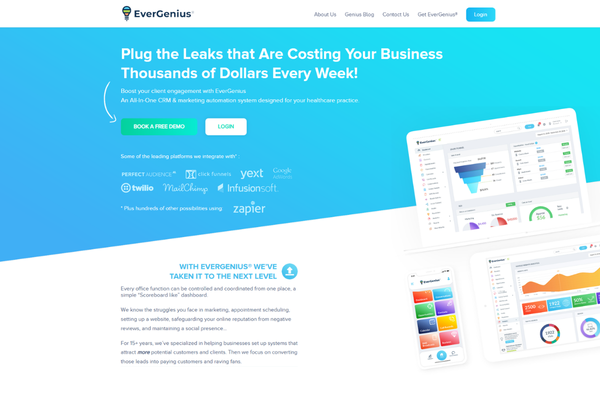
A practical example of this powerful combination in action can be seen in a project for EverGenius, a platform in the financial services sector. The development team used WordPress to create a seamless funnel that identifies client challenges and nurtures relationships. You can explore this EverGenius case study for a deeper look at the strategic implementation.

Conclusion
Building an effective sales funnel is not about using complex tricks; it is about creating a clear, helpful, and trustworthy journey for your potential clients. A website that actively guides visitors from a problem to a solution becomes your most valuable business asset. WordPress emerges as the perfect partner for this task because it provides a sturdy, flexible, and accessible foundation upon which any business can construct a tailored path to growth.
To reiterate, the process begins with deep strategic planning and understanding your client’s journey before writing a single line of code. From there, the powerful yet user-friendly nature of WordPress allows you to implement this plan stage by stage. You attract attention with quality content, engage visitors with valuable offers, and convert their interest into action with clear, focused landing pages. By integrating smart tools for email follow-up and client management, you turn one-time actions into lasting professional relationships.
Remember, the goal to build a sales funnel website with WordPress is within reach. It transforms your online presence from passive to active, turning casual browsing into measurable business growth. Start by mapping your customer’s journey today, then use the robust tools WordPress offers to bring that map to life. The result will be a website that not only represents your business but actively works to grow it every single day.
FAQs
- Do I need to be a coder to build a funnel in WordPress?
No. Modern WordPress uses drag-and-drop page builders and plugins, so no coding is required. - Is WordPress secure enough for a sales funnel?
Yes. With core updates, a strong password, and a reliable security plugin, WordPress is very secure for business use. - How long does it take to see results?
Traffic and conversion take time. You may see initial leads quickly, but building a consistent flow often takes 3-6 months of steady effort.