

Fast apps fail when logins feel slow or unsafe. Users drop off, support tickets pile up, and bad actors look for gaps. A clear, safe login flow has now become a core part of product trust, not “just a tech task.”
At the same time, attackers are smarter, tools are cheaper, and leaked passwords spread fast. So, if your app handles user data, payments, or even simple profiles, you need a strong plan for login security.
In this blog, we will walk through simple yet effective ways to protect your users at sign-in. You will learn how Secure Authentication shapes safer apps, which login methods work best today, and how to balance safety with ease of use. Also, you will see how small design choices in the login screen can stop real attacks.
Why secure login matters for every app
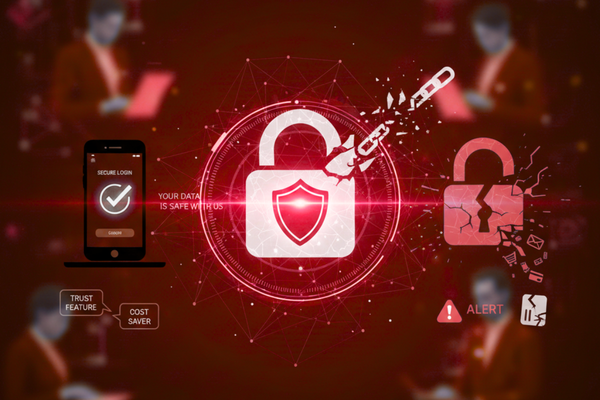
Every login is a small promise: “We will keep your account safe.” When that promise breaks, your brand suffers, even if the breach came from reused or weak passwords.
A single stolen account can lead to fake orders, leaked messages, or changed payment details. In a team tool, one hacked user may expose files for the whole company. So, safe login is not a “nice to have”; it is part of basic product quality.
Good login design also reduces help desk work. When people can reset passwords, approve new devices, and see alerts in clear language, they need less support. In the end, strong login is both a trust feature and a cost saver.
Core ideas behind safe login
Before we choose tools, it helps to know a few core ideas that shape safe login systems.
First, never store plain passwords. Instead, store only a secure “hash,” which is a one-way math result of the real password. This way, even if your database leaks, the raw passwords stay hidden.
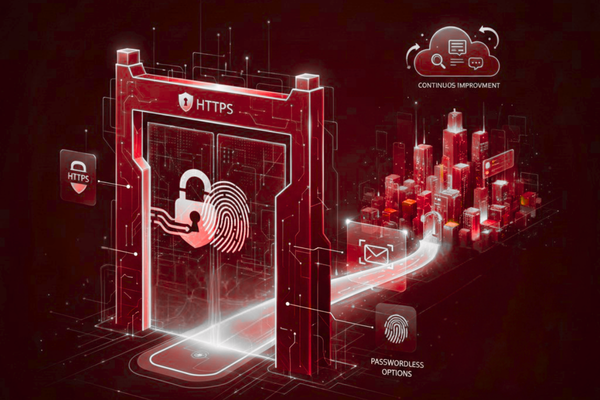
Next, always protect data in motion. Use HTTPS so that usernames, passwords, and tokens are encrypted as they move between the user and the server.
Then, watch for strange patterns, like many failed logins from one place, or logins from new countries in a short time. These can point to attacks, and you can block or slow them.
When you combine these habits with Secure Authentication methods, you get a strong base that is hard for attackers to break and still simple for real users.
Best methods for app login
1. Strong passwords that actually help
Strong passwords still matter, but rules must make sense. Forcing strange symbols without limits often leads users to write passwords on paper or reuse them.
A better way is to:
- Set a fair minimum length (for example, at least 12 characters).
- Block known weak passwords and common patterns.
- Encourage passphrases, like “green-river-summer-cloud,” that are easy to recall but hard to guess.
You should also check passwords against known leak lists during signup or change. If a user picks a password found in old data leaks, ask for a new one.
Finally, add clear help: show strength meters, give simple tips, and avoid blame. When password rules are easy to understand, users are more likely to follow them, which boosts Secure Authentication without hurting the user experience.
2. Two-factor and multi-factor checks
Passwords alone are no longer enough. Two-Factor Authentication (2FA) and Multi-Factor Authentication (MFA) add one or more extra checks on top of the password.
Common second factors include:
- One-time codes from an app like Google Authenticator
- Codes sent by SMS
- Hardware keys (small USB or NFC devices)
App-based codes and hardware keys are safer than SMS, but SMS is still better than no extra step at all.
You can start with 2FA for high-risk actions, such as changing email, seeing payment details, or logging in from a new device. Over time, you can offer users the choice to turn on MFA for every login.
Moreover, always provide backup options, like recovery codes. That way, if a user loses a phone, they can still reach support and regain access in a safe way.
3. Passwordless login (magic links and biometrics)
Passwordless login cuts out passwords and instead proves who the user is with something else. This can be:
- A magic link was sent to your email
- A one-time code sent by SMS
- Biometric checks, such as a fingerprint or face scan, on the device
- Sign in with trusted providers (for example, “Sign in with Google”)
These methods reduce password reuse and phishing, since there is often no password to steal. They also feel faster for many users, which is great for sign-up and mobile apps.
However, you must still treat email and phones as keys. If someone takes over a user’s mailbox, they could use magic links. So, use device checks, short link expiry times, and alerts for new devices to keep passwordless flows safe.
When done well, passwordless flows can raise both ease of use and Secure Authentication at the same time.
4. Safer sessions and logout
Login is not the end of security; it is the start. Once a user is in, your app creates a “session,” often with a token or cookie that says, “this user is logged in.”
To keep sessions safe, you should:
- Set session timeouts, so long-idle sessions end on their own.
- Use “remember me” with care and shorter lifetimes.
- Protect session tokens with HTTPS and secure cookie flags.
- End all sessions when a user resets their password.
Also, show users where they are logged in: list active devices and let them log out of others with one click. This gives users control and makes it easier to spot strange access.
Good session design turns a one-time login check into ongoing Secure Authentication throughout the user’s time in the app.
Tips for product and tech teams
Strong login flows are a joint effort between design, product, and engineering. Here are some simple tips to guide that work:
- Start with user paths: new device, lost phone, wrong password, shared computer. Design for each path.
- Use clear words. Avoid heavy tech terms on the login screen. Say “one-time code” instead of complex phrases.
- Test with real users. Watch where they get stuck during signup, 2FA setup, and password reset.
- Log security events and review them often. Even small apps can face real attacks.
- Keep improving. As your app grows, your Secure Authentication needs may change, and you can add new steps over time.
For a deeper look at how one product team built a clean and safe login flow from idea to launch, you can refer to this case study, which shows how a product team shaped a clean and safe signup and sign-in flow.
Conclusion
Login is the gate to your app. If that gate is weak, the rest of your security efforts lose much of their value. If that gate is painful to use, people will leave before they even see what your product can do.
By now, you have seen that a safe login does not have to be complex or full of heavy terms. With a small set of clear steps, you can raise both safety and ease of use.
First, handle passwords with care. Encourage strong, longer phrases and block known weak ones. Never store plain passwords, and always protect data in motion with HTTPS.
Next, add extra layers where they matter most. Two-factor or multi-factor checks are no longer “advanced”; they are a basic need for apps that hold real user data. Start with high-risk actions and grow from there as your users get used to it.
Then, look at passwordless options. Magic links, app-based codes, and biometrics can make login smoother while cutting down on common attack paths. Still, you must treat email and phones as keys and protect them with short expiry times and alerts.
Do not forget about life after login. Sessions, device lists, and simple logout tools help users keep control over their accounts. Clear security alerts and easy recovery paths reduce fear and support costs at the same time.
Most of all, see Secure Authentication as an ongoing part of your product, not a one-time project. Review logs, talk with users, and adjust your flow as threats and habits change. When your team treats login as a shared duty between design and code, your app becomes a place users can trust with both their time and their data.
FAQs
- What is app authentication?
It is the process your app uses to confirm a user is who they say they are. - Is two-factor authentication worth it for small apps?
Yes. Even small apps face attacks, and 2FA blocks many easy ones. - Are magic links safe?
They are safe when links expire fast, and email accounts are well protected.