

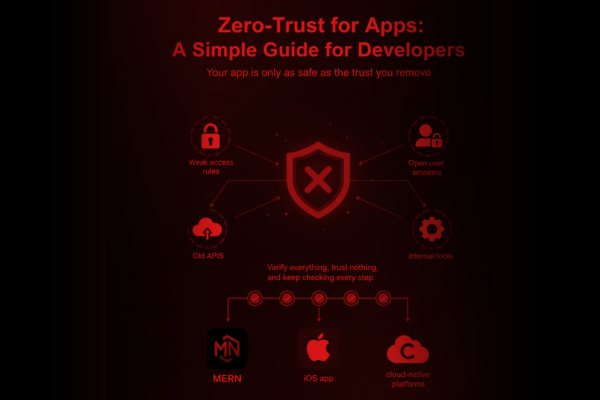
Your app is only as safe as the trust you remove. Here’s how modern teams build safer software with a practical Zero-Trust for Apps approach. Every app today faces one common risk: assuming users, systems, and internal services are “safe” by default. In reality, most security issues appear because apps trust too many things — old APIs, open user sessions, weak access rules, or even trusted internal tools. This is where Zero-Trust for Apps comes in. It is not a complex idea. It simply means verify everything, trust nothing, and keep checking every step of the way.
For many developers, security often feels like a tough task that slows down the workflow. But Zero-Trust does the opposite. It gives teams a simple security framework to follow no matter what tech stack they use. Whether you build MERN apps, iOS apps, or cloud-native platforms, Zero-Trust fits smoothly into your flow.
We recently worked on a legal-tech platform — you can view the project here: The Law Spot Case Study — where strict user identity control was essential. Zero-Trust principles helped reduce risks by making sure every user request was checked, every access was verified, and no data was left open.
This guide breaks Zero-Trust into simple steps developers can follow in real projects, without heavy jargon or complex rules.
What Is Zero-Trust
Zero-Trust means your app never assumes the user or system is safe. Every request must be proven. Every access must be checked. Every session must be limited.
No shortcuts. No “trusted zones.”
This is why the phrase Zero-Trust for Apps is becoming essential for modern development teams building scalable, cloud-based, and secure systems.
Why Zero-Trust Matters for Developers
Here’s why teams are adopting Zero-Trust as a core part of development:
-
Apps now face more login attempts, bots, and automated threats
Even small apps receive thousands of automated attacks each month.
-
Microservices and APIs increase risk
More components = more entry points.
-
User identity is now the top target
Weak login flows are one of the biggest sources of data leaks.
-
Remote teams and cloud hosting require tighter controls
There is no longer a single “secure office network.”
If you build B2C apps, admin dashboards, or multi-user systems, Zero-Trust gives you a simple framework to reduce risk while keeping your app fast and easy to use.
Core Principles of Zero-Trust Architecture for Apps
1. Verify Every User — Every Time
Never trust a logged-in user blindly. Re-authenticate during sensitive actions such as:
- Changing account details
- Making a payment
- Viewing confidential files
- Accessing admin dashboards
This rule saved hours of risk assessment during our legal-tech project. Re-verifying helped prevent unauthorized access even if a session token was stolen.
2. Use Strong Identity & Access Control
Instead of giving full access to every logged-in user:
- Assign roles
- Limit what each role can do
- Add permissions to high-risk actions
- Enforce short session timeouts
This reduces damage even if a user account is hacked.
3. Secure All APIs With Token-Based Access
APIs should never trust internal traffic.
Use:
- JWT with short expiry
- Rotating refresh tokens
- IP throttling
- Device checks
Strong API security is one of the easiest ways to apply Zero-Trust for Apps.
4. Validate Every Request, Even Inside the System
Do not trust:
- Internal APIs
- Microservices
- Background cron jobs
- Cloud events
All requests should go through the same checks as external traffic.
5. Encrypt Everything — Data in Motion & Data at Rest
Simple rule:
- If data moves, encrypt it.
- If data sits, encrypt it.
- Basic encryption prevents most data leaks even if your database is exposed.
6. Monitor, Log & Review Everything
Zero-Trust relies on constant visibility.
Add logs for:
- Failed logins
- Unusual API activity
- Access to admin routes
- Token refresh patterns
- High-volume requests from one device
These logs help you respond quickly before things go wrong.
How Developers Can Apply Zero-Trust in Daily Work
-
Start With Clear Access Rules
Define security based on sensitivity:
- Basic actions: Open to normal users
- Personal actions: Require identity reconfirmation
- Sensitive actions: Require extra verification (like a one-time code)
- Team-only actions: Allow only to specific roles or internal accounts
This guidance replaces the earlier route-based examples and keeps everything easy to read.
2. Remove “Trusted Zones” From Your Architecture
Do not assume your internal network or private APIs are safe. Treat everything as external.
3. Add Multi-Layer Security
Do not rely on one defense. Add layers:
- Authentication
- Authorization
- API gateways
- Firewalls
- Role-based rules
Even if one layer fails, the next one protects your app.
4. Keep Sessions Short & Secure
Use:
- Short expiry tokens
- Re-authenticate for risky actions
- Auto-logout for long idle sessions
- Device/IP checks
This instantly reduces session hijacking risks.
5. Test for Trust Issues Regularly
Security testing should be part of your workflow:
- Unit tests for auth
- API penetration checks
- Session hijack tests
- Role bypass checks
Small tests save big issues.
Real Example: Zero-Trust in a Live Project
While building the legal-tech platform mentioned earlier, access control was the biggest challenge. Different users needed different permissions, and some features required layers of verification.
Zero-Trust helped us create:
- Role-based dashboards
- Identity checks before viewing sensitive legal documents
- Encrypted data transfer
- Short session tokens
- Full logs for review
The Law Spot project proved that Zero-Trust is not just a security rule — it becomes part of better app design.

Conclusion
The world of app security is changing fast. What worked three years ago is not enough today. As apps scale, connect to more services, and serve more users, the risks naturally increase. This is why many development teams are now shifting toward the Zero-Trust for Apps mindset — not as a trend but as a core way of building safe digital products.
Zero-Trust removes guesswork. Instead of trusting users by default, it checks every request. Instead of letting sessions stay open for hours, it keeps them short. Instead of assuming internal APIs are safe, it treats them with the same strict rules used for public traffic. These changes are simple, but they make a huge difference when building modern cloud apps, SaaS platforms, or mobile solutions.
For developers, Zero-Trust is not extra work — it’s a way to write cleaner logic, build safer routes, and structure better backend flows. It helps reduce the biggest security risks without making the app slow or complicated. And most importantly, it protects your users, your system, and your business reputation.
If your team builds apps with multiple user roles, stores sensitive data, or relies on large API networks, Zero-Trust gives you a clear path to stronger protection. And once you start using these practices — verification, short sessions, access control, encryption, and logging — you will notice that Zero-Trust becomes a natural part of your development style.
Your app doesn’t need complex security tools to be safe. It needs a mindset change. And that journey begins with one simple idea: “Trust nothing. Verify everything”.
FAQs
Q1: Is Zero-Trust hard to add to existing apps?
No. You can add it slowly with access rules and shorter sessions.
Q2: Does Zero-Trust slow down users?
Not if built correctly. Most steps run in the background.
Q3: Can small apps use Zero-Trust?
Yes, even basic apps with logins benefit from it.
Q4: Does Zero-Trust replace encryption?
No. Encryption is still required.
Q5: Does Zero-Trust work for mobile and web apps?
Yes, it fits both.