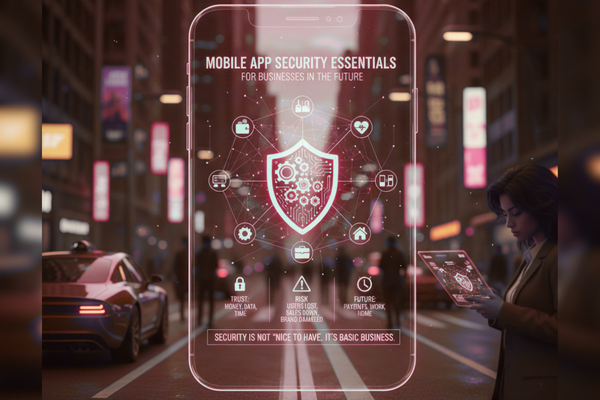
Your customers trust your app with their money, data, and time.
One weak point in your app can cost you users, sales, and your brand’s name.
In the next few years, apps will handle even more parts of daily life. Payments, health, work, and even home devices will run through phones. That is why mobile app security is no longer “nice to have.” It is a basic part of doing business.
Most businesses now run at least part of their work through a mobile app. Staff use apps to share files, speak with teams, and track work. Customers use apps to buy, book, learn, and support your brand. As this use grows, so does the risk.
Hackers know that many apps rush to market. They also know that small gaps in code and setup can give them a way in. A single data leak can lead to legal trouble, lost trust, and real money loss. In some fields, like health and finance, the impact can be even worse.
At the same time, users expect a smooth, simple app experience. They will not accept slow logins, strange warnings, or broken features. So, you must plan for strong safety that still feels light and easy.
This blog will walk through key steps to keep your app safe now and in the future. We will look at common risks, simple safety rules, and how new tools like AI can help. In the end, you will have a clear view of what to ask for from your team or partner agency.
Why Security Matters More Than Ever
Phones are now the main way many people go online. This means your app is often the first and main touch point with your brand. When something goes wrong there, users feel it at once.
Some key reasons safety is now a must:
- Apps store and send private data, like names, emails, and payment details.
- Staff use apps on the move, often on shared or home Wi‑Fi.
- Many teams mix work and personal apps on the same device.
- Attackers use ready-made tools that can scan and break weak apps in minutes.
If your app is not safe, you do not only risk a “hack.” You risk lost deals, higher support costs, and a long drop in user trust. For that reason, planning mobile app security is part of basic business planning, not just IT work.
The New Risk Landscape for Business Apps
To protect your app, you first need to understand the most common risks. Here are some of the main ones, in plain words:
1. Weak login and passwords
If users can log in with simple passwords, or if you reuse passwords in many places, attackers have an easy job. They use stolen login data from other sites and test it in your app.
2. Data stored in the wrong way
If your app saves data on the phone without safety in place, other apps or tools can read it. This is risky for things like tokens, keys, or private user details.
3. Unsafe network calls
If your app sends data to your servers without strong protection, someone on the same network can watch or change it. This can happen on free public Wi‑Fi in cafes, airports, and hotels.
4. Broken links to your backend
Your app likely talks to a backend API. If that API has weak checks or old code, attackers may use it to reach your systems. They may not even need to touch your app.
5. Lost or stolen devices
When a phone is lost or stolen, the thief should not be able to open your app and see data right away. If there is no app lock, or if data is stored in plain form, this can happen.Once you see these risks, you can start to build rules to block them.
Core Security Essentials You Must Build In
You do not need to be a security expert to ask for the right things. Here are core steps every business app should follow. Together, they form the base of strong mobile app security.
1. Strong login and access
- Use long, hard-to-guess passwords.
- Offer two-step login (for example, a code by text or an app prompt).
- Limit login tries to stop bots.
- Log out users after long idle time.
These steps add a small extra step, but they stop many common attacks.
2. Safe data storage
- Never store passwords in plain text.
- Use the phone’s safe storage areas for keys and tokens.
- Clear cached data that is no longer needed.
- Allow users to wipe app data if their device is lost.
Talk with your dev team about how and where the app keeps data on the device.
3. Secure network traffic
- Use HTTPS for all calls between app and server.
- Check that the app talks only to your real servers.
- Do not send private data if the connection looks unsafe.
These steps protect data as it moves between the phone and your backend.
4. Regular updates and fixes
- Plan for frequent app updates, even after launch.
- Patch known bugs fast, before they are used.
- Keep third-party libraries up to date.
Security is not a one-time job. It is a steady part of your roadmap.
5. Protect keys and secrets
- Never hard-code keys or secret tokens inside the app.
- Store them in safe places on the server, not in the code.
- Change keys if you think they might be exposed.
If keys leak, attackers can act as if they are your app or your users.
Plan for Security from Day One
It is much cheaper and easier to build safety in from the start than to add it later. When you plan a new app, ask your team to:
- Add security checks to each stage of the project.
- Review user stories with safety in mind (“What could go wrong here?”).
- Run tests that try to break the app before real users see it.
- Include clear “done” rules that cover both features and safety.
This way, your plan, design, and build steps all support mobile app security, not just the final test at the end.
Balancing Ease of Use with Strong Protection
Many teams fear that security will hurt the user experience. This does not have to be true. With good design, you can keep both.
For example:
- Use biometric login (face or finger) instead of making users type a password each time.
- Add background checks that users never see, such as device checks or sign-in risk scores.
- Keep security messages short, clear, and kind. Avoid scare tactics and tech words.
Test with real users to see where safety feels heavy. Then adjust the design, not the core security rules.
How AI Will Shape App Security in the Future
AI will play a larger role in both attacks and defense. On the bad side, AI can help attackers test many login tries or scan code faster. On the good side, AI can:
- Spot strange patterns in logins or payments in real time.
- Help review code and point out common weak spots.
- Support your team in learning from each new event.
You can think of it this way: people set the rules and goals, while AI helps watch, learn, and respond at speed. A good mix of human skill and smart tools will be key for future mobile app security.
Real-World Example: Building a Safer App in a Strict Industry
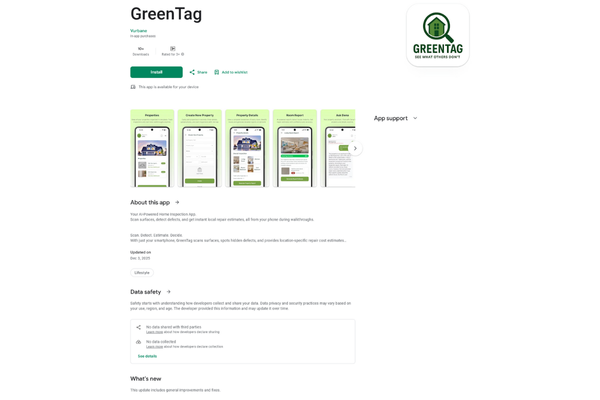
To make this more concrete, let us look at a real type of project. In one recent green tag and product safety app for a client, users scanned items to check if they met eco and law rules. The app had to handle product data, rules, and user notes from the field.
From day one, the team treated safety as a base part of the build, not an add-on. They:
- Used safe storage for offline scan data on the device.
- Added extra checks when users worked on shared or public networks.
- Built a clear audit trail so every change had a name, time, and place.
- Ran repeat tests before launch and again after updates.
You can see more details about this kind of work in this project case study. As we did on this project, you can blend simple, friendly screens with strong checks behind the scenes. Users only see a smooth, fast tool. Your team sees a safe, traceable system that can stand up to real-world use and audits.
Conclusion
The future of business is mobile. Your app is no longer just a “digital add-on.” It is a main door into your brand, your data, and your daily work. Because of this, strong mobile app security is now a basic duty, like good customer service or proper accounts.
You do not need to know every technical term to lead this well. You do, however, need to ask the right questions. Does your app use strong login? Do you know how and where it stores data? Are all network calls protected? Who checks third-party code? How often do you plan updates? These simple points can guide deep work from your dev and security teams.
At the same time, you must keep the user in mind. Security that feels heavy or confusing will push people away. The goal is calm, quiet safety that supports the user instead of blocking them. This is where good design, clear copy, and real-world tests all come in.
Looking ahead, AI will speed up both risk and defense. Attackers will move faster, but so will your tools for watching, finding, and fixing weak points. The winners will be the teams that treat security as a long-term habit, not a last-minute task.
If you are planning a new app, or want to review an existing one, now is the right time. Start with a clear safety checklist, speak openly with your dev partner, and plan for steady updates. By investing in security today, you protect your users, your data, and your brand’s future place in a world that is more mobile every year.
FAQs
Q1. Do small businesses really need app security?
Yes. Even small apps hold data that attackers can use or sell.
Q2. How often should we update our app for security?
At least once a quarter, and faster if a risk is found.
Q3. Is two-step login worth it?
Yes. It blocks many common attacks with a small extra step.
Q4. Who should own app security in a company?
Ideally, a shared duty between product, tech, and leadership.