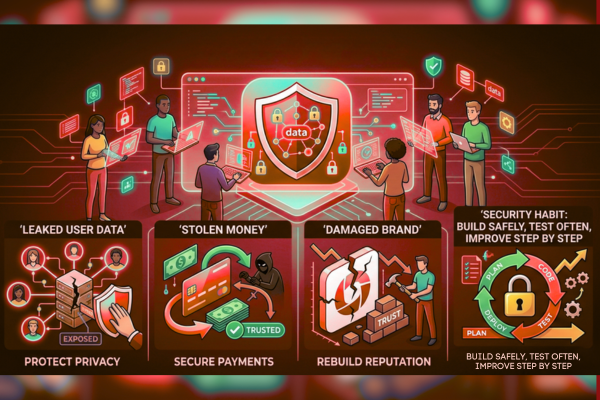
In today’s world, almost every business depends on an app. People order food, pay bills, book visits, and share private details through mobile and web apps every day. That trust is easy to lose. One small security gap can lead to leaked user data, stolen money, or a damaged brand that takes years to rebuild.
As developers, we often focus on speed, features, and smooth design. However, security must sit next to them from day one. If not, problems show up later when fixing them costs more and causes more stress.
This guide breaks down the most common app security risks in a clear way, without hard words. Because threats keep changing, security is not a one-time task. Instead, it is a habit: build safely, test often, and improve step by step. In the sections below, you will learn what can go wrong, why it happens, and what you can do to reduce the risk, starting now.
1) Weak Login and Password Handling
Weak login systems are still one of the top causes of app break-ins. Attackers often try common passwords, reused passwords, or stolen password lists from past leaks.
Why does it happen:
- No limit on failed login attempts
- No multi-factor login (like SMS or an app code)
- Poor password rules or no password checks
How to reduce the risk:
- Add rate limits and lockouts after repeated tries
- Use multi-factor login for sensitive actions
- Store passwords safely using modern hashing (never plain text)
2) Unsafe Data Storage (On Device and in the Cloud)
Users expect personal data to stay private. Yet many apps store sensitive data in places that are easy to copy, read, or misuse. This can include tokens, payment details, health data, and messages.
Common mistakes:
- Storing tokens in plain text
- Saving private files in public cloud buckets
- Keeping old backups without protection
Safer approach:
- Encrypt sensitive data at rest
- Use secure storage tools on mobile devices
- Review cloud access rules often
3) Poor API Security
Most apps talk to a server using APIs. If the API is weak, the whole app becomes weak too. Attackers do not need the app screen; they can hit the API directly.
What can go wrong:
- Users can access other users’ data by changing an ID
- Missing checks on roles (admin vs user)
- No limits on requests, leading to abuse
Fix it by design:
- Check user rights on every request
- Use strong access tokens and short expiry
- Add logging, alerts, and rate limits
4) Broken Access Control (Users See What They Should Not)
Broken access control means the app does not properly limit what a person can view or do. Even if the login is strong, a user may still reach private pages or data by guessing a link or editing a request.
Example:
A normal user finds an “admin” endpoint and changes settings.
Prevention steps:
- Apply server-side checks for every action
- Do not trust the front end to block access
- Test common “what if I change this value?” cases
5) Insecure Third-Party Libraries and SDKs
Modern apps use many third-party tools for login, payments, charts, ads, and more. This saves time. However, it also adds risk when a library has a known flaw or gets taken over.
Why this matters:
A single weak package can put the whole app at risk, even if your code is clean.
Good habits:
- Keep libraries updated
- Remove unused packages
- Use tools that scan for known flaws
- Review third-party SDK needs, especially ad and tracking SDKs
6) Weak Encryption and Poor Key Handling
Encryption protects data in transit (when moving) and at rest (when stored). Yet it only works if used correctly.
Common issues:
- Using old encryption methods
- Hard-coding keys in the app
- Sending data without HTTPS
Better practice:
- Use HTTPS everywhere
- Store keys in secure key systems (not in code)
- Rotate keys when needed
- Encrypt sensitive fields, not just whole disks
7) Input Issues (When the App Trusts User Data Too Much)
Apps take input from users: search fields, forms, file uploads, and messages. Attackers can use these inputs to break logic, steal data, or harm other users.
What this can lead to:
- Data leaks
- Fake actions done on behalf of others
- Server errors are used as a map for deeper attacks
Simple ways to lower risk:
- Validate and clean input on the server
- Limit file types and file sizes
- Use safe output rules when showing user content
8) Session and Token Problems
Sessions and tokens help the app remember who a user is. If tokens are stolen or too long-lived, attackers can act as the user without needing the password.
Risk signs:
- Tokens never expire
- Tokens stored in unsafe places
- No logout from all devices
Safer plan:
- Short token life with refresh rules
- Secure cookie settings for web apps
- Device-based session controls
- Re-check identity for high-risk actions
9) Misconfigured Cloud Settings
Cloud services are powerful. However, one wrong setting can expose databases, storage, logs, or backups to the public internet. This is one of the most common app security risks for growing teams.
Typical problems:
- Public storage buckets
- Open databases without network rules
- Weak service account rights
How to prevent it:
- Use “least access” rules (only what is needed)
- Review permissions often
- Use security checks in build pipelines
- Keep logs and alerts for changes in settings
10) Not Enough Testing and Monitoring
Even strong teams miss things. That is why testing and monitoring matter. If you do not measure risk, you cannot manage it. Also, without alerts, you may not know an attack is happening.
Build a safer release process:
- Use code review with security checks
- Add automated tests for key endpoints
- Run basic scans before launch
- Monitor login spikes, API abuse, and error patterns
If you build apps for real users, security should be part of delivery. For example, if your product handles wallets or sensitive user actions, reviewing secure build choices early helps a lot. You can also explore secure product work examples like the My Ether Wallet project to see how security-focused builds are presented in real delivery work.
A Simple Checklist for Teams
Before you ship, confirm these basics:
- All traffic uses HTTPS
- Passwords are hashed and never stored in plain text
- Role checks exist on the server for every action
- APIs have rate limits and logging
- Libraries are updated and scanned
- Sensitive data is encrypted, and keys are protected
- Cloud storage and databases are not public
- Monitoring and alerts are active
These items reduce app security risks fast, even for small teams.

Conclusion
App security is not only a “big company” problem. Any app with users, payments, messages, or accounts can be a target. Attackers do not always pick brands. Often, they pick easy entry points. That is why developers must treat security as a normal part of building, not a last-minute add-on.
The good news is that many security failures come from repeated mistakes. Weak login rules, unsafe data storage, open cloud settings, and missing access checks are common. Yet they are also preventable. If you focus on the basics—strong login, safe sessions, protected APIs, and good cloud rules, you can block a large share of real-world attacks.
Also, security is not only about tools. It is about clear habits. For example, keep packages updated, remove what you do not use, and review who can access what. Then, test key flows like password reset, file uploads, and admin actions. After launch, keep monitoring. Alerts for strange login patterns or API spikes can help you react before damage spreads.
Most importantly, remember that security is a shared task. Product owners can help by giving time for security work. Designers can help by supporting safer flows like multi-factor login. QA teams can help by testing risky paths. Developers can help by writing clean code and adding checks where they matter.
When teams work this way, they lower app security risks without slowing down delivery. In fact, they often ship faster over time, because fewer urgent fixes appear after launch. A secure app protects users, protects trust, and supports long-term growth. Build with care, test with intent, and keep improving—release after release.
FAQs
1) What is the biggest app security risk today?
Weak access control and unsafe APIs are among the most common.
2) Do small apps really need security work?
Yes. Attackers often target easy apps, not famous ones.
3) Is HTTPS enough to protect user data?
No. It helps in transit, but storage, access, and keys must also be protected.
4) How often should we update third-party libraries?
As often as possible, and always when a security fix is released.