Websites do not fail because teams cannot build them. They fail because teams cannot keep them updated. New offers go live late. Pricing pages drift out of date. Campaign landing pages take too long. Webflow for Business is built to reduce that delay. It gives business teams a faster way to design, publish, and improve a modern website without needing a developer for every small change.
The business value is clear:
- You ship updates faster
- You protect brand consistency
- You launch campaigns on time
- You reduce long “back-and-forth” cycles
In this practical guide, you will learn what Webflow is, how teams use it day to day, and when it is the right fit. We will cover content editing, the CMS, mobile design, SEO basics, pricing, and how it compares to WordPress. By the end, you will know if it matches your team, your goals, and your budget.
Webflow for Business
It is a visual website platform that combines a design tool, a CMS, and managed website hosting so teams can build, update, and publish a high-quality site faster while keeping design consistent.
Why Webflow for Business Helps Teams Move Faster
Speed matters because your website is often your top sales asset. It is where buyers decide whether to trust you. It is also where marketing tests ideas.
The core problem it solves
Many business teams face one of these issues:
- Small updates take days or weeks
- Content edits break layouts
- The site looks different across pages
- Landing pages require dev support
- Plugins and updates create risk
With it, teams can make changes without waiting for a full development cycle. That reduces friction. It also helps you run more experiments, faster.
Real outcomes businesses aim for
- Faster launches for product pages and campaigns
- Cleaner design systems across the full site
- Better conversion flow through faster testing
- A smoother workflow between marketing and product
Who Should Use Webflow (Best-Fit Business Types)
Webflow is widely used for marketing-first sites where design and speed both matter.
Strong fit for these teams
- SaaS and startups
- Service brands and agencies
- B2B companies that need strong positioning pages
- App companies that need fast feature updates
- Content teams building guides and case studies
Good use cases
- Product marketing websites
- Pricing pages and feature pages
- Campaign landing pages
- Content hubs for SEO growth
- Lightweight help centers and resource libraries
When it may not be the best fit
Webflow may not be ideal if you need:
- Very complex backend workflows
- A huge plugin ecosystem for niche features
- A custom server-side app inside the CMS
In those cases, Webflow vs WordPress (or a custom build) becomes a serious discussion. We cover this later.
What You Get: Webflow Website Builder Components
The Webflow website builder is not just templates. It is a set of tools that work together.
Designer (visual layout and styling)
The Designer is where you build pages and control:
- Typography
- Spacing
- Layout (grid and flex)
- Reusable sections
- Animations and interactions (if needed)
This is why Webflow works well for brand-first sites. You can match your design rules across every page.
Editor (safe updates for non-designers)
The Editor helps teammates update content in context. This is useful for:
- Marketing managers
- Content writers
- Sales ops teams updating case studies
- Founders updating messaging
It reduces the risk of “breaking the layout.”
Built-in website hosting
Webflow includes managed website hosting. That often means fewer vendors and fewer moving parts.
Most business teams value:
- SSL included
- Global CDN
- Fast publishing
- Simple staging and releases
Feature | Benefit Table (Business View)
Webflow is easier to evaluate when you map features to business results.
| Feature | Benefit |
| Visual design controls | Brand consistency without constant dev support |
| Reusable components | Faster updates across the site |
| Webflow CMS collections | Publish more content without rebuilding pages |
| Managed website hosting | Fewer vendor headaches and less maintenance |
| Staging + publishing | Safer releases and cleaner teamwork |
No-Code Website Design: What It Means in Simple Terms
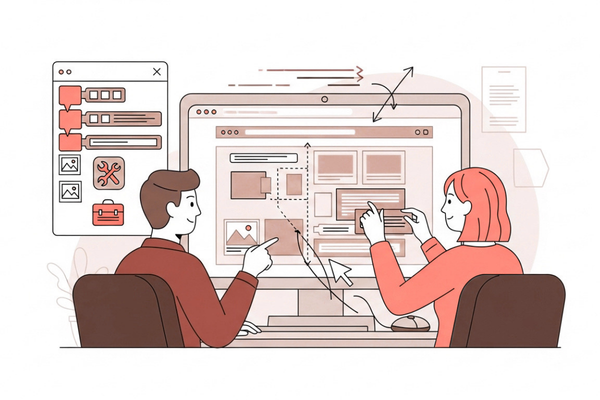
Webflow is often called no-code website design. For businesses, that mainly means speed and ownership.
What “no-code” changes for a business team
- You can publish faster
- Marketing can test new copy quickly
- Product teams can update feature pages on release day
- Content teams can add new pages without redesign work
What it does not mean
No-code does not mean:
- No planning
- No structure
- No standards
A successful Webflow setup usually includes:
- A clear style guide
- Reusable blocks (hero, features, FAQs)
- Page templates tied to the CMS
That setup is what makes later updates easy.
Webflow CMS: Content That Scales Without Chaos
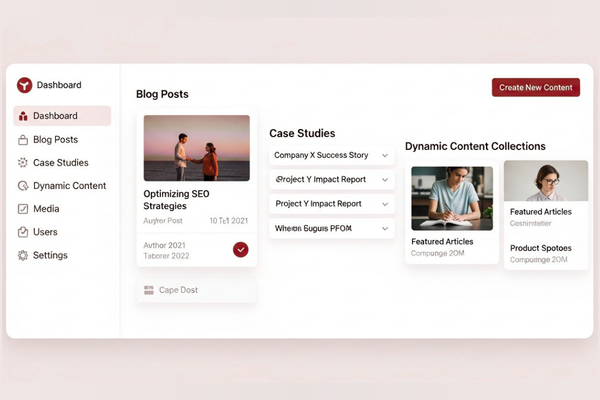
For many companies, the CMS is the main reason to choose Webflow. Webflow CMS lets you create structured content types (called collections).
Common CMS collections for businesses
- Blog posts and guides
- Case studies
- Team members
- Services
- Locations
- FAQs
- Resource pages
Why this matters for growth
A strong CMS setup helps you:
- Keep layouts consistent
- Publish faster
- Reduce formatting errors
- Build a real content engine over time
It also supports SEO. A content hub with clear templates is easier for search engines and users.
Simple CMS workflow (how teams actually use it)
A practical workflow looks like this:
- Designer builds a template once
- CMS fields are defined (title, summary, hero image, sections)
- Writers add content inside those fields
- Pages publish with the same design rules every time
That is a key reason Webflow works well for lean teams.
Responsive Web Design: Mobile-First Without the Stress
Mobile traffic is often the majority. If your mobile site is weak, leads drop.
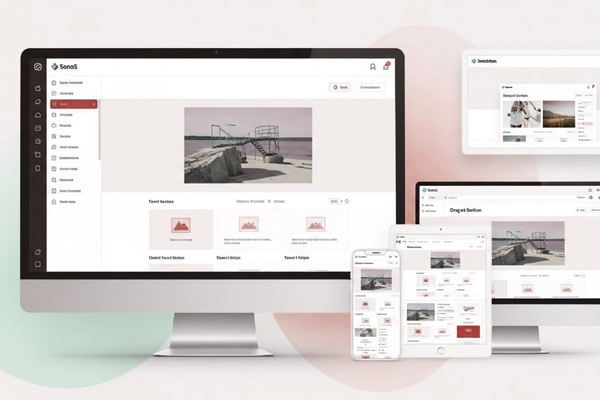
Webflow supports responsive web design through breakpoints. You can preview and adjust layouts for:
- Desktop
- Tablet
- Mobile
What teams often adjust for mobile
- Font sizes and line spacing
- Padding and spacing between sections
- Column layouts (3 columns → 1 column)
- Button sizes for easier taps
- Visibility (hide large visuals on mobile if needed)
Why app companies care even more
If you sell a mobile app, your website is often the first step before the app store. Webflow helps you keep that first impression strong across devices.
Landing Page Design in Webflow (Built for Speed)
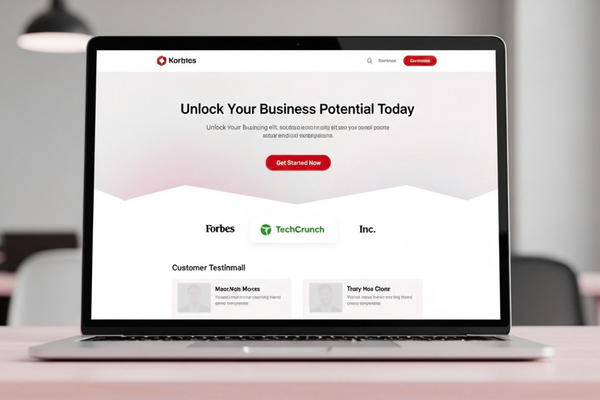
Webflow is a strong platform for landing page design because it supports quick iteration.
What high-converting pages often include
- One clear promise above the fold
- One main call-to-action (CTA)
- Social proof (logos, reviews, metrics)
- Short sections with clear benefits
- FAQs that remove doubt
- Fast load time
Landing page testing checklist
Use this simple checklist:
- Is the CTA clear in the first screen?
- Is the page focused on one goal?
- Do you show proof quickly?
- Is the form short and easy?
- Does mobile look clean and fast?
If your team runs frequent campaigns, Webflow can reduce the time it takes to launch each new page. If you want real examples of strong execution, you can review this Webflow landing page example, where layout and clarity support conversion goals.
A second pattern is lifestyle branding and strong visuals seen in builds like the Streamstyle Webflow build, where design supports trust and product value.
Webflow SEO Features: What You Can Control
A common question is whether Webflow is good for SEO. In most cases, yes. Webflow SEO features cover the basics business sites need.
Key SEO controls in Webflow
- Title tags and meta descriptions
- Clean URLs
- 301 redirects
- Auto-generated sitemap
- Image alt text
- Open Graph settings for social sharing
- SSL and fast hosting
SEO best practices that stay simple
To improve results without overthinking it:
- Use one clear H1 per page
- Use short H2s that match search intent
- Add internal links to related pages
- Write helpful answers, not filler
- Update important pages every few months
When teams follow these basics, Webflow can support strong organic growth. For SEO best practices, Google’s own guidance is the most reliable source. Use Google Search Central documentation to align your site structure and content with what search engines can understand.
If you use AI to support content drafts or FAQs, keep quality high and edit carefully. Tools from OpenAI can speed up outlines and first drafts, but your team should validate accuracy and add real expertise.
Webflow vs WordPress: A Business Decision Framework
Both platforms can power serious websites. The real question is how your team works.
Choose Webflow if you want
- Strong design control without heavy plugins
- Faster updates owned by marketing
- Fewer maintenance tasks
- A cleaner system for modern brand sites
Choose WordPress if you need
- A very large plugin ecosystem
- Deep custom publishing workflows
- Complex backend systems tied to the CMS
- Large editorial teams with legacy processes
The simplest way to decide
Ask this:
- Do we lose time waiting for updates?
- Do we spend too much time maintaining plugins?
- Do we need design consistency across many pages?
If yes, Webflow for Business is often a strong fit. If your needs are plugin-heavy, WordPress may be safer.
Webflow Pricing and Budget Planning (What Businesses Miss)
Webflow pricing is usually split into:
- A site plan (publishing + hosting)
- a workspace plan (team features)
- Add-ons if needed (forms, memberships, integrations)
Prices change over time, so confirm on Webflow’s site. The more important part is total budget planning.
Real-world costs beyond Webflow
Plan for:
- Design and build time
- Copywriting and content migration
- Analytics and tracking setup
- SEO setup (redirects, metadata, structure)
- Ongoing updates and conversion testing
A simple budgeting tip
Do not budget only for “launch.” Budget for:
- Monthly updates
- New landing pages
- Content growth
- Testing and improvements
That is where Webflow often delivers ROI—because iteration becomes easier. If you want a fast, realistic number for your build, it helps to use a structured intake like a website and app project estimate form so scope and timelines are clear.
AI Automation Add-Ons (Common With Modern Websites)
Many companies add AI automation around their website. This can improve lead response, reduce support workload, and speed up internal tasks.
Business Value Section (AI automation)
Benefits of AI automation include:
- reduced operational costs
- faster workflows
- improved accuracy
A Webflow site can stay focused on marketing, while AI tools handle repetitive tasks behind the scenes.
AI Development Cost Table
| AI Development Type | Estimated Cost |
| AI Chatbot | $10k – $50k |
| AI SaaS | $50k – $200k |
| Enterprise AI | $100k+ |
If you want to explore real AI capabilities and best practices:
These tools are often paired with Webflow when teams want better lead handling without rebuilding the whole web stack.
Governance: How to Keep the Site Clean as You Grow
A website can get messy when many people touch it. Webflow helps, but you still need rules.
Simple rules that prevent chaos
- Use a shared style guide (fonts, colors, spacing)
- Limit who can change global components
- Use templates for content types
- Create a “page request” process for new pages
- Review key pages every quarter
Roles that work well in Webflow
Many teams use:
- One owner (marketing lead or web manager)
- One designer (in-house or agency)
- Editors (content and marketing)
- Reviewer (brand or product lead)
This structure keeps Webflow fast, but controlled. If your goal is consistent publishing and a clean, modern look, review a content-forward build, explore this Webflow CMS case study for ideas on layout, structure, and clarity.
Start Your AI Development Project
If your company is exploring AI solutions, our team at Canadian Software Agency can help you design and build scalable AI platforms that connect smoothly with a Webflow-based marketing site. We focus on practical automation that supports leads, support, and operations. You can explore our AI services team to see how automation, chat, and AI workflows can reduce manual work while improving customer experience.
Conclusion
Your website is not a one-time project. It is an active business tool. It supports lead generation, trust, and sales. That is why platform choice matters. Webflow for Business is not only about building a site. It is about running a site with less friction.
The biggest advantage is execution speed. Many teams lose momentum because every small update becomes a request. That delay adds up. Campaigns launch late. Pages stay outdated. Testing slows down. Webflow helps remove that bottleneck by giving teams a visual way to build and update pages while keeping design standards in place. When your team can ship faster, you can respond faster to the market.
It is also a strong option for content-driven growth. With Webflow CMS, you can publish blogs, case studies, service pages, and resource content in a structured way. You create templates once. Then your team can add new content without redesign work each time. This keeps the site consistent and makes it easier to scale publishing. Over time, that supports SEO growth, because you can build a clear content library that answers real customer questions.
Webflow also covers the core SEO controls that most business sites need, such as metadata, clean URLs, redirects, and sitemaps. That does not guarantee rankings, but it removes common technical blockers. Results still come from clear messaging, helpful content, and steady updates.
Of course, there are cases where WordPress or custom development is a better fit, especially when you need deep backend workflows or a very specific plugin-based setup. The best choice depends on your workflow and your goals.
If your priority is a modern, brand-consistent website that your team can actually keep updated, Webflow is a practical and proven option. When you pair it with strong measurement and optional AI automation, your website becomes a growth system, not a maintenance burden.
FAQs
1) Is Webflow good for non-technical teams?
Yes. After the site is set up with templates and reusable sections, editors can update content with low risk.
2) Can Webflow support SEO for competitive markets?
Yes. Webflow SEO features handle the basics well. Strong SEO still depends on content quality and site structure.
3) How long does it take to build a Webflow site?
It depends on scope. Many marketing sites launch faster than traditional builds, especially for landing pages and CMS-based sites.
4) Is Webflow better than WordPress?
It depends. Webflow is often better for speed, design control, and lower maintenance. WordPress can be better for plugin-heavy setups.
5) Can Webflow integrate with AI tools?
Yes. Many teams connect chat, lead qualification, or support automation tools alongside the site.